
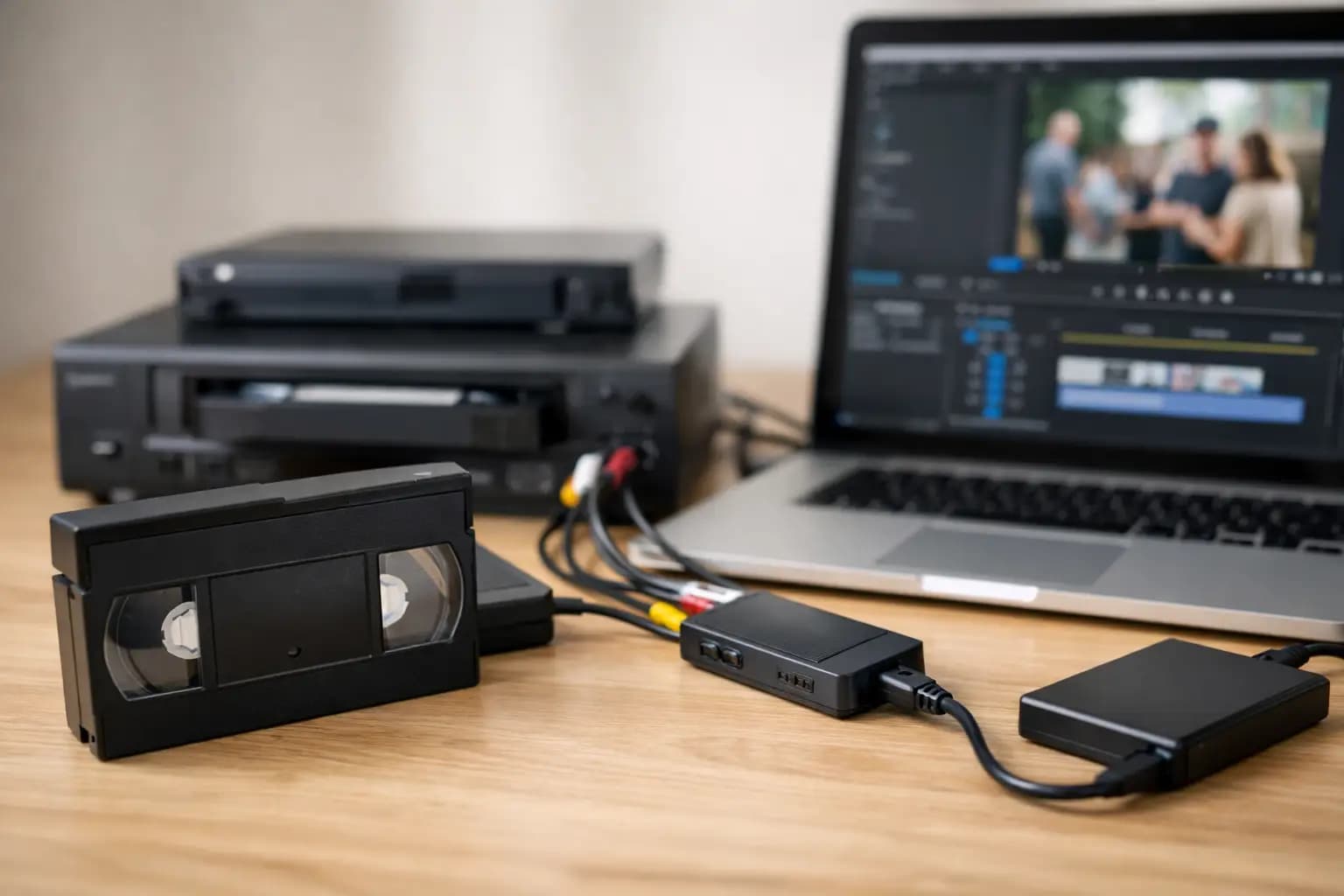
That box of VHS tapes in the cupboard is not getting any younger. If you want to convert VHS tapes to digital, the main goal is simple - keep family videos watchable before the tape quality drops further or the player finally gives up.
For most people, the choice comes down to two options. You can try a home setup with a VHS player and capture device, or you can use a professional transfer service that handles the process for you. Both can work well, but the right option depends on the condition of your tapes, how many you have, and how much time you want to spend.
Why convert VHS tapes to digital now
VHS was built for everyday home viewing, not long-term archiving. Over time, tapes can stretch, pick up mould, suffer signal dropouts, or simply become harder to play cleanly. Even if the cassette itself still looks fine, finding a working VCR is getting more difficult.
Digital files solve a practical problem. Once transferred, your videos are easier to watch on a laptop, television, tablet or phone. They are also easier to copy, back up and share with family members. Instead of one ageing cassette, you can keep several copies in different places.
There is also a quality point worth keeping in mind. Converting a VHS tape to digital does not magically turn it into HD. The recording will still reflect the original tape quality. What digital transfer does do is preserve what is there now and stop further wear from repeated playback.
Your options to convert VHS tapes to digital
DIY transfer at home
If you already have a working VCR, you can convert tapes at home with a USB capture device and software on your computer. The tape plays in real time while the video is recorded into a digital file.
This route can be cost-effective if you are comfortable with cables, software settings and file management. It can make sense for a small number of tapes in reasonable condition, especially if you already have some of the equipment.
The trade-off is time and reliability. A two-hour tape takes two hours to capture, and that is before trimming, saving or troubleshooting audio and picture issues. Cheap capture kits can also produce mixed results, with problems such as poor sync, dropped frames or noisy playback.
Professional transfer service
A transfer service is the simpler option if you want consistent results without trial and error. You send in or drop off your tapes, the footage is digitised using suitable playback equipment, and you receive the output in a modern format.
This is often the better choice for important family recordings, wedding videos, childhood footage and older tapes that may need careful handling. It also saves a good deal of time if you have a full stack of cassettes rather than one or two.
For many customers, convenience is the deciding factor. A specialist service removes the need to source an old VHS player, install software and manage large video files from scratch.
What you need for a home transfer setup
If you want to try it yourself, you will usually need a working VHS or VHS-C compatible player, a video capture device, the right cables, and a computer with enough storage space. Some setups use composite connections, while others may use SCART adaptors depending on the player.
Software matters too. You need something reliable enough to capture long recordings without crashing halfway through. File sizes can be larger than expected, so free space on your hard drive is essential.
The part many people overlook is the tape player itself. If the VCR chews tapes, gives unstable playback or produces lines across the screen, your digital copy will reflect that. In some cases, the deck is the weakest link in the whole process.
Common problems when you convert VHS tapes to digital
Poor playback quality
Old tapes often show tracking lines, flicker, muted colours or inconsistent sound. Sometimes a manual tracking adjustment improves things. Sometimes the issue is on the tape itself and cannot be fully corrected.
Mould or damaged cassettes
If a tape has visible mould, a cracked shell or signs of sticking, do not put it straight into a machine. You can damage both the cassette and the player. Problem tapes are better checked by a specialist before transfer.
No sound or lip-sync issues
Budget capture devices can struggle with longer recordings. You may finish with audio drifting out of sync or random signal drops. This is frustrating if you only notice after the whole tape has been captured.
Wrong file format choices
Some people save everything in a format that is awkward to watch or too heavily compressed. A good transfer should balance manageable file size with sensible viewing quality.
What format should you choose?
MP4 is usually the most practical choice for everyday use. It works well across most computers, phones and smart TVs, and it is easy to copy or upload if you want to share clips with family.
DVD can still suit some households, particularly if the person receiving the video prefers to watch it in a standard DVD player. That said, discs are less convenient than digital files for backup and sharing, and many newer devices no longer include a disc drive.
If possible, keep your transferred footage in at least one easily backed-up digital format. A USB, hard drive or cloud backup gives you more flexibility than relying on a single disc.
DIY or service - which is better?
There is no single answer for everyone. If you enjoy technical projects, already own the equipment and only need to convert a few tapes, DIY can be perfectly reasonable.
If your tapes are irreplaceable, you want a straightforward process, or you have several cassettes to deal with, a transfer service is usually better value in practical terms. You are paying not just for the conversion, but for the time saved and the lower risk of mistakes.
This is especially true with older family collections. When there is only one copy of a christening, school play or holiday video, most people would rather not experiment on the original.
How to prepare your tapes for transfer
Start by sorting what you have. Label anything important, check whether the tapes are standard VHS, VHS-C or another format, and set aside any cassettes that look damaged.
If there are several recordings on one tape, make a note of what is where if you remember. That can help later if you want separate files or specific clips saved.
Store tapes somewhere cool and dry before transfer. Avoid lofts, garages and damp cupboards if possible. Heat and moisture do not do old magnetic tape any favours.
What to expect from a professional service
A good service should make the process clear from the start. You should know what formats are accepted, what output options are available, and how your originals will be returned.
Turnaround time matters, especially if you are ordering for a family occasion or as a gift. So does the handling process. Customers want reassurance that tapes will be treated carefully and transferred by people who do this regularly, not as an afterthought.
For UK customers, using a UK-based lab or store service can make things simpler. It usually means easier communication, more straightforward delivery, and less worry about sending sentimental originals too far afield. That is one reason many families choose specialist services such as Photo Zone when they want old recordings preserved without unnecessary hassle.
After you convert VHS tapes to digital
Once your files are ready, back them up straight away. Keep one main copy on your computer or external drive and a second copy somewhere separate. If the footage matters to the wider family, send copies to siblings or parents too.
It is also worth naming files clearly. “Summer Holiday 1997” is far more useful than “video-final-3”. A little organisation now makes it much easier to find the right footage years later.
You can also turn those clips into something more usable day to day. Short highlights can be shared with relatives, and favourite still frames can often be turned into prints, albums or personalised gifts if you want to bring old memories back into view rather than leaving them hidden on a hard drive.
The best time to deal with VHS tapes is before they become a bigger problem. If you have recordings you would be upset to lose, getting them transferred now is usually the simplest way to keep them safe, watchable and easy to pass on.